

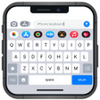
Expressive iPhone-style keyboard with emojis, GIFs, themes, cool fonts, and handy built-in translation
Expressive iPhone-style keyboard with emojis, GIFs, themes, cool fonts, and handy built-in translation
Vote (2 votes)
Program license Free
Developer TanyDev
Version 2.6
Works under Android
Vote
(2 votes)
Developer
TanyDev
Works under
Android
Program license
Free
Version
2.6
Pros
- Free keyboard with an iOS-style look for Android
- Large variety of emojis, animated stickers, and GIFs
- Unicode symbol support and cool fonts for creative text
- Built-in translator with multi-language support, listening, and speaking features
- Multiple iPhone-inspired themes for visual customization
Cons
- Interface feels old-fashioned and can be confusing to navigate
- Sticker collection is relatively limited
- Some sticker packs may not show up correctly in the keyboard
IOS Keyboard: Emoji Keyboard is a free Android keyboard that imitates the familiar iOS look while adding plenty of visual flair to your messages. It focuses on expressive texting, with emojis, animated stickers, GIFs, cool fonts, and Unicode symbols built in. This app is best suited for Android users who like the iPhone-style keyboard and want extra tools for customization and translation in their everyday chats.
iOS-Inspired Design and Custom Themes
The core appeal of IOS Keyboard: Emoji Keyboard is its iOS-style layout and themes. The keys, colors, and overall appearance are designed to resemble the keyboard on Apple devices, which can be very appealing if you prefer that visual style on Android.
You can personalize the look through multiple themes modeled after iPhone keyboards. These themes help the keyboard blend with your home screen and apps, so your typing environment feels consistent. Customization also extends to fonts, giving your messages a different visual tone without leaving your usual chat apps.
Emojis, Stickers, GIFs, and Unicode Symbols
IOS Keyboard: Emoji Keyboard puts a lot of emphasis on expressive content. You get a wide collection of emojis, stickers, and GIFs that make conversations livelier and more playful.
The app goes beyond standard emoji packs by including morning and night sticker sets as well as various cartoon-style characters. Animated stickers and GIFs help you react more vividly in group chats or one-on-one conversations.
For those who like to decorate text further, the keyboard supports Unicode symbol input. This allows you to insert a variety of symbols directly from the keyboard, which can be useful for stylized messages, decorative text, or specific characters that are not easily accessible on basic keyboards.
Built-in Translation and Voice Features
One of the standout tools is the integrated translator module. Rather than copying text into a separate app, you can translate messages from within the keyboard itself. It supports multiple languages, which makes it helpful for communicating with friends or contacts who speak different languages.
The translator is not limited to written text. It can listen to phrases and speak translations aloud. That combination can be especially useful for language learners or frequent travelers who want to hear pronunciation as well as see the written form.
Everyday Typing and General Usability
As a regular keyboard, IOS Keyboard: Emoji Keyboard aims to balance style and speed. It combines its emoji and sticker tools with a visually engaging layout, so you can decorate messages without slowing down your typing too much. You can add it as one of the available keyboards on your phone and switch to it whenever you want the iOS look or need quick access to its emoji and translation tools.
Opinions on the interface are mixed. The main typing area, with its iOS-like keys, looks clean and familiar if you have used an iPhone. However, some parts of the interface feel outdated and can be difficult to navigate, especially when you dive into themes, stickers, or settings. This can make it harder to discover and manage everything the app offers.
Limitations and Frustrations
Despite its rich feature list, the app has some drawbacks. The sticker catalog, while fun, is not very extensive. You may quickly cycle through the available packs, especially if you rely heavily on stickers to communicate.
There are also reports of sticker packs not appearing correctly in the keyboard after they are added. This issue lowers the excitement of trying new packs, since you may not always see them when you go to use them.
Overall, IOS Keyboard: Emoji Keyboard delivers a creative mix of iOS-style design, emojis, stickers, GIFs, fonts, and translation tools. If you prioritize visual expression and want an iPhone-like keyboard on Android, it can significantly refresh your messaging experience, as long as you are willing to tolerate the dated interface and limited, occasionally unreliable sticker selection.
Pros
- Free keyboard with an iOS-style look for Android
- Large variety of emojis, animated stickers, and GIFs
- Unicode symbol support and cool fonts for creative text
- Built-in translator with multi-language support, listening, and speaking features
- Multiple iPhone-inspired themes for visual customization
Cons
- Interface feels old-fashioned and can be confusing to navigate
- Sticker collection is relatively limited
- Some sticker packs may not show up correctly in the keyboard


